
Please note that this blog post was published on November 2020, so depending on when you read it, certain parts might be out of date. Unfortunately, I can't always keep these posts fully up to date to ensure the information remains accurate.
This is a simple guide on how I fixed the broken sounds when playing Max Payne on Windows using Steam.
After searching the internet, I found this fix in an old discussion thread and thought I'd write a blog post about it to share it with others.
Thank you to whoever originally created this fix - it will help a lot of Max Payne fans enjoy their favorite game with working sound again!
Watch the Video
If you don't want to read this written guide, feel free to watch the video. I also explain things in more depth in the video.
Step 1 - Download the Files
Simply click the link below to download the files to your computer.
Click here to download the new sound filesStep 2 - Extract the Files
The file you just downloaded is a ZIP archive that you'll need to extract.
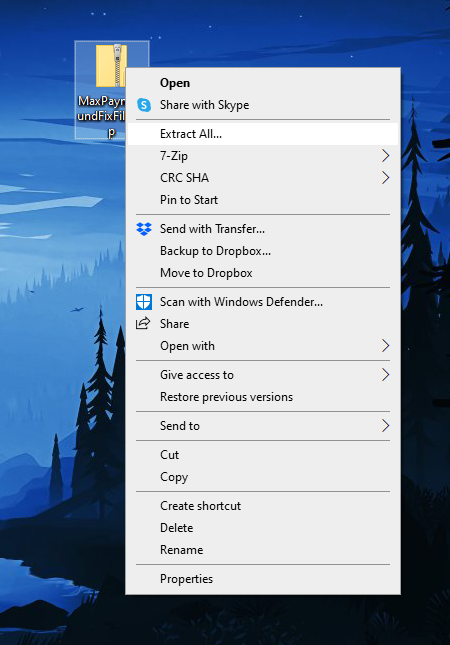
In Windows, simply right-click the file and select "Extract All..." from the context menu.
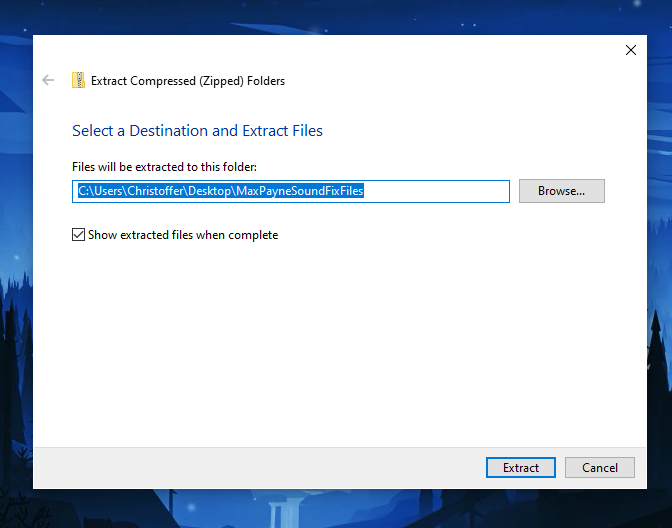
This will open the "Extract Compressed (Zipped) Folders" dialog. Simply click "Extract".
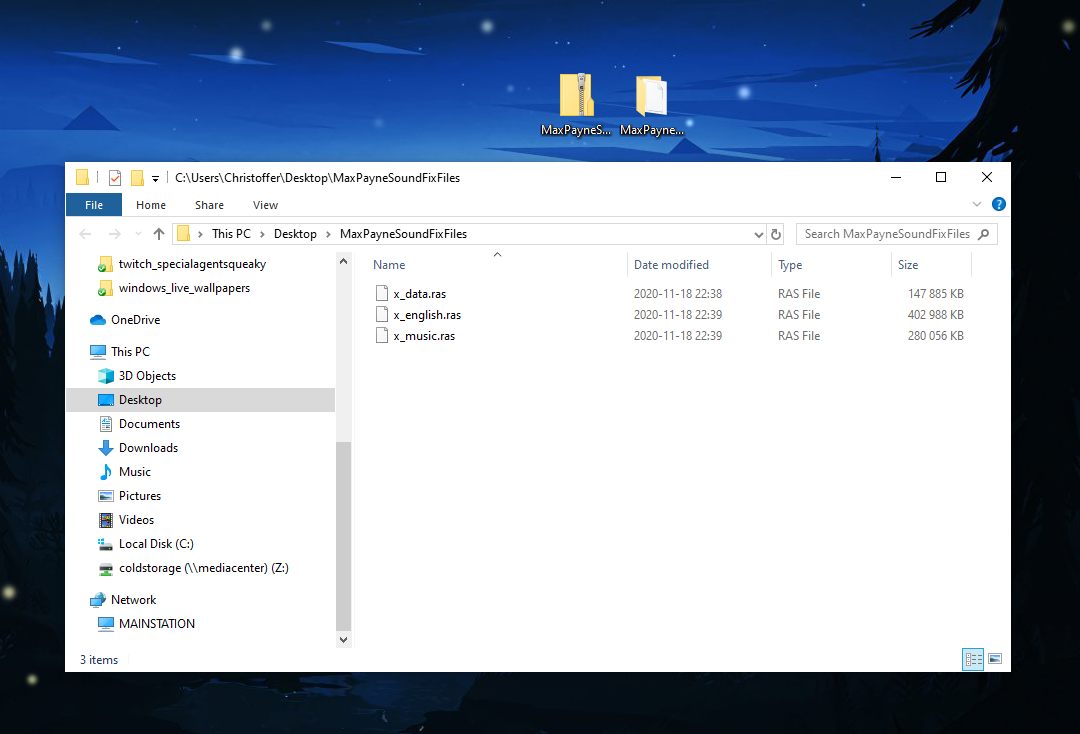
This will extract the ZIP archive into a new folder containing three ".ras" files.
A ".ras" file is a Remedy Archive System game resource file used by the Max Payne video games. "Remedy" refers to Remedy Entertainment, the studio that created Max Payne. These files contain default game data such as textures, models, level information, and music.
Step 3 - Locate Your Max Payne Game Folder
Now you need to locate the folder where Max Payne is installed.
If you installed Max Payne through Steam, simply right-click the game in your library and select "Properties".
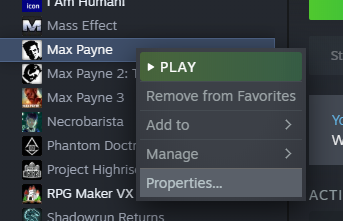
Then, open the "Local Files" tab and click "Browse Local Files".
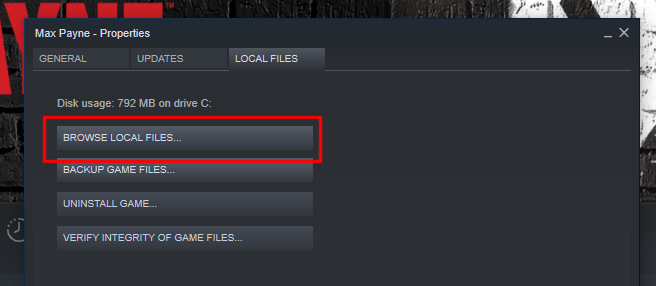
This will open the directory where Max Payne is installed.
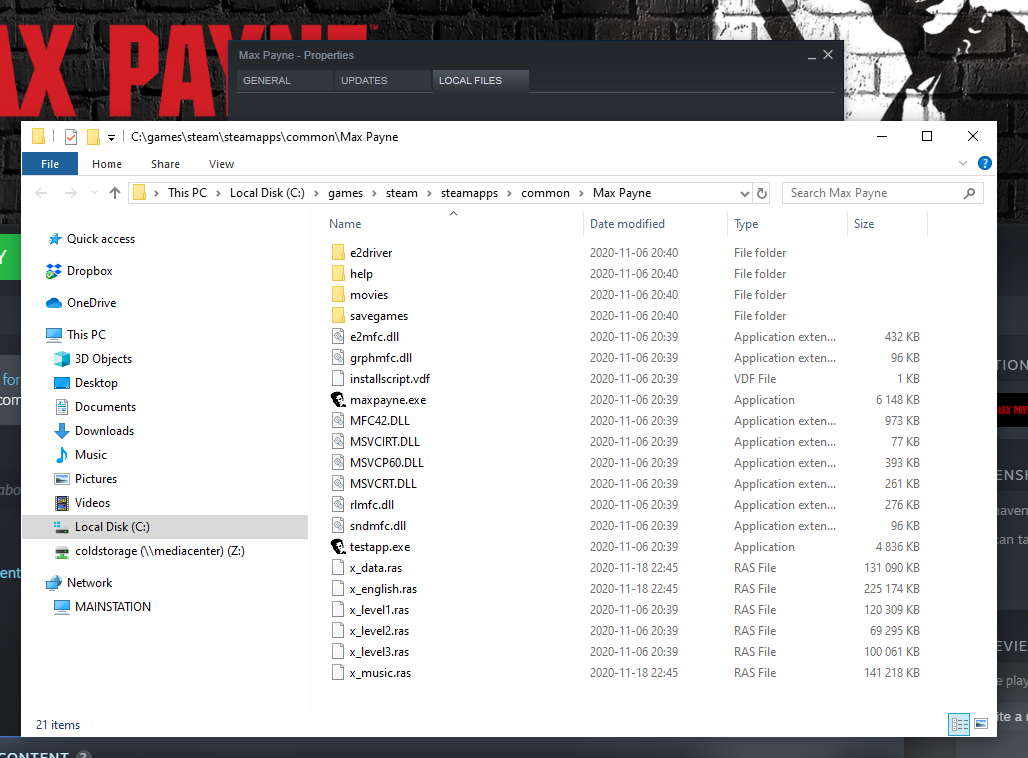
Step 4 - Copy and Replace the Extracted Sound Files
Now that you've located your Max Payne game folder, you'll see it contains three files with the same names as the ones you extracted.
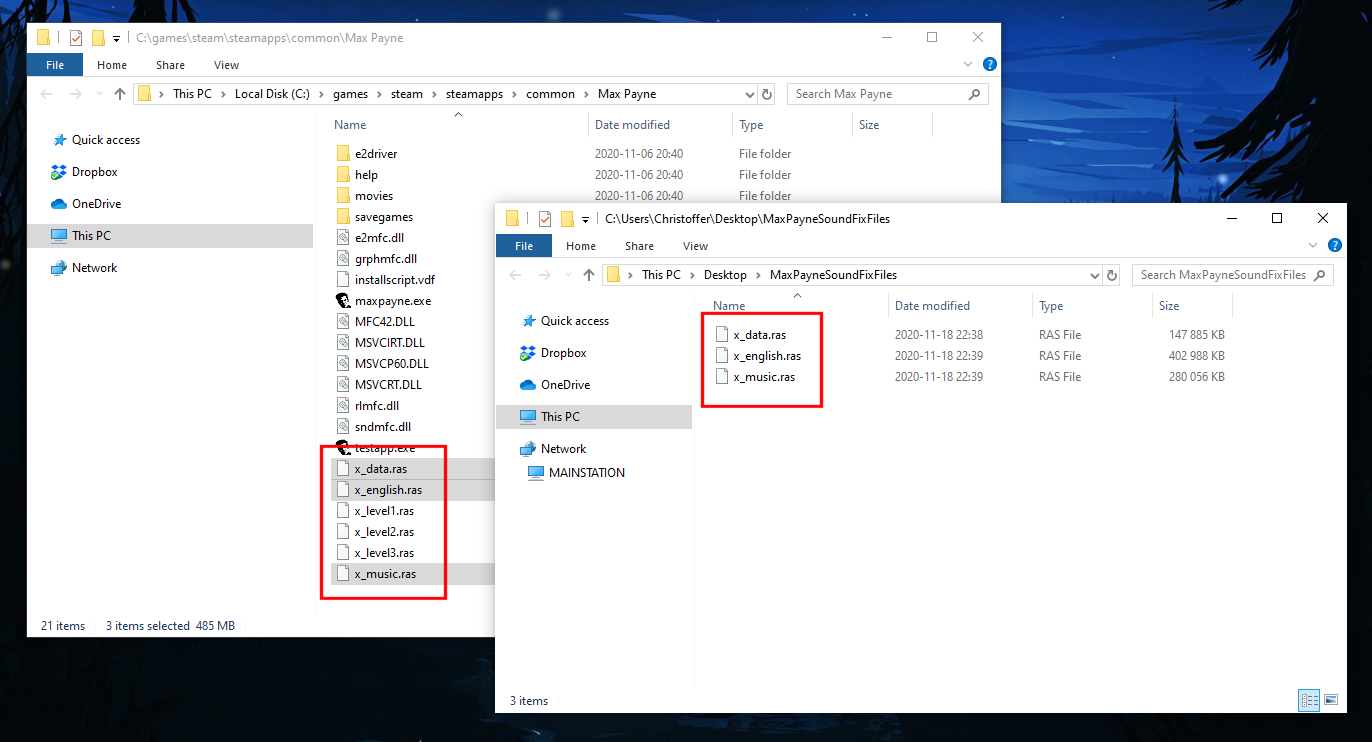
Simply copy and replace the ".ras" files.
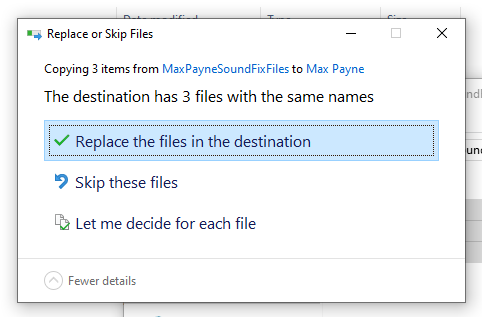
You've now updated your sound files. Simply launch Max Payne, and your sound should be fixed!