Имајте у виду да је овај блог пост објављен у децембру 2020. године, тако да у зависности од тога када га читате, одређени делови могу бити застарели. Нажалост, не могу увек да ажурирам ове постове како бих осигурао да информације остану тачне.
Raiding is a fun way to both introduce and expose yourself as a streamer to other communities, but also a great way to help another streamer grow their community as well! If you have recently being raided yourself you could raid others as a sign of good will by paying it forward.
Please note that only the you (the channel's owner) and your channel editors can start a raid, and that after you have raided another streamer, your channel will be hosting them.
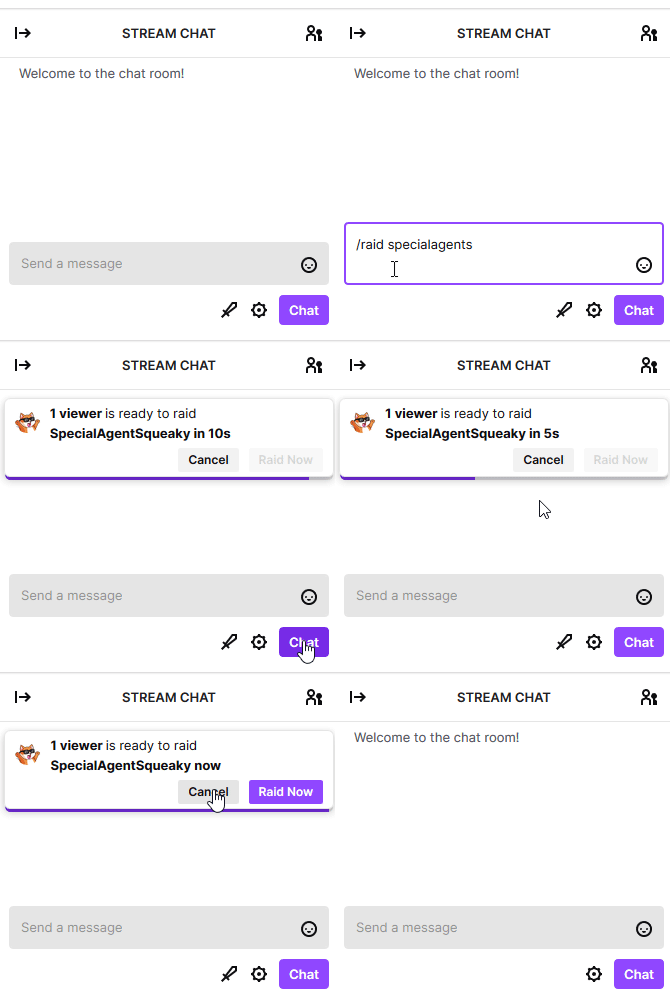
When you raid another streamer, a pinned message above your chat. After 10 seconds you could force the raid, but if after 80 seconds it will automatically raid the target unless you have cancelled it.
Here are some ways on how to raid as a Twitch streamer!
Using the /raid slash command
Simply type
/slash [target-twitch-username] (for example /raid SpecialAgentSqueaky) in your chat.
You can raid both online, but also offline channels like this.
Using "Raid Channel" Quick Action
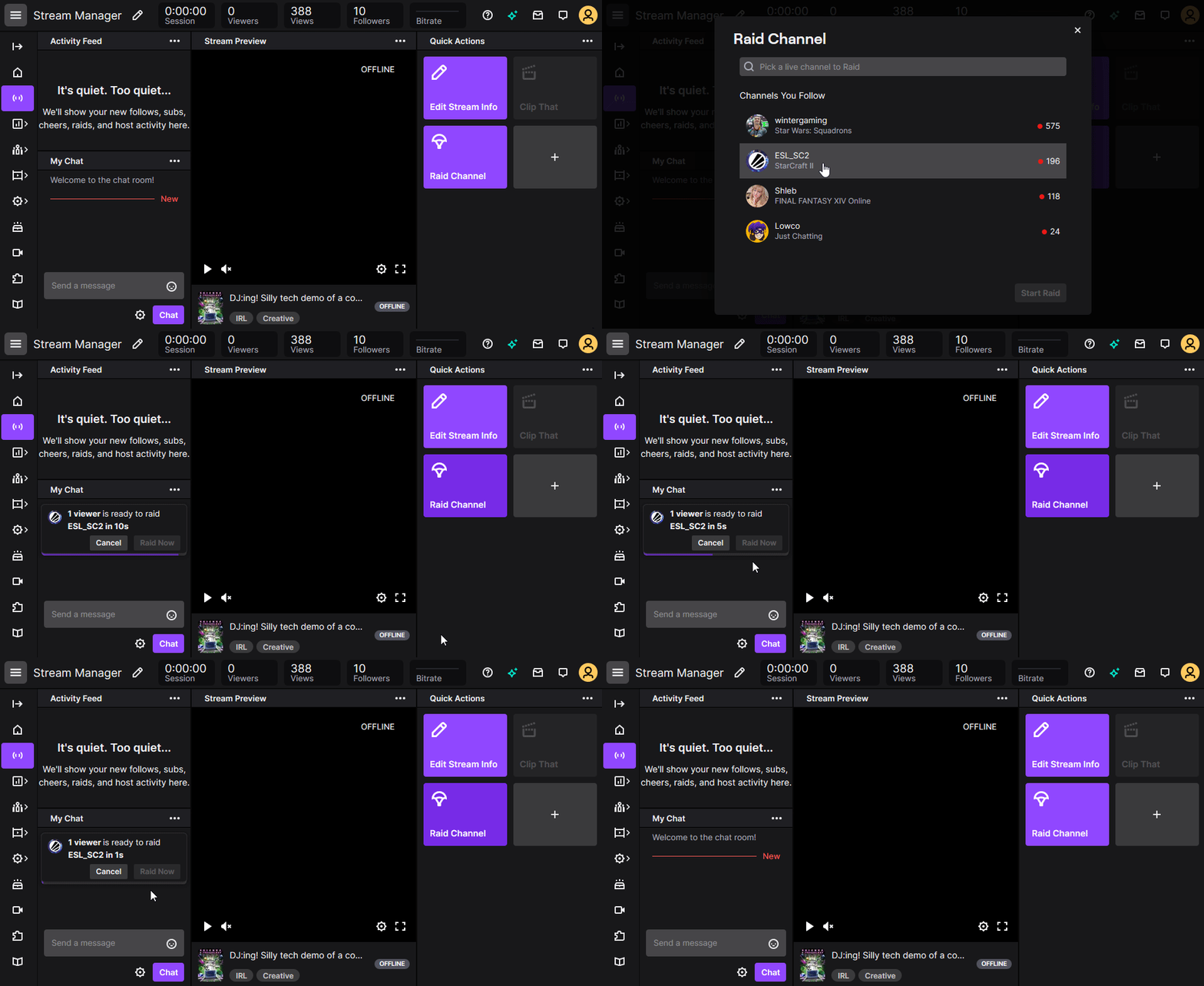
If you are using the Twitch's "Stream Manager", there is a "Quick Actions" panel there with, well, quick actions.
Simply click on "Raid Channel" and then select an online channel. Doing this is basically equivalent to typing
/slash [target-twitch-username].