
Bu blog yazısının Ağustos 2011'de yayınlandığını, dolayısıyla ne zaman okuduğunuza bağlı olarak bazı bölümlerinin güncelliğini yitirebileceğini lütfen unutmayın. Ne yazık ki, bilgilerin doğruluğunu sağlamak için bu yazıları her zaman tam olarak güncel tutamıyorum.
Basic interfaces in Java enforces a class to implement public and abstract methods, which are defined in the interface - but (for obvious reasons) generic static methods. However, it is still achievable by adding annotations and using the Annotation Processing Tool (APT).
The Annotation Processing Tool is a tool that got included Java 6 and forward (however its still possible to use in Java 5) which examines annotations and the types using them at compiler even at the compiler time, even working in Eclipse. Let me show you how.
Please note, if you get confused or lost by the all the Java code pasted in this entry, the full source code is published on the net. Just scroll down to the headline entitled "Getting the full source code" for more information.
Let's begin by looking at the the end result
This was my goal. I wanted to add an annotation on a class, where I had specify what static method is required, it's return type and parameters. Even what types it should throw.
So below is actually screen shots from the end result of my project, where I add the annotation on a class and Eclipse starts giving me errors which I correct until the method is fully defined.
Using this annotation:
    @RequiresStaticMethod(
    name = "getNameAndAgeText",
    returns = "java.lang.String",
    parameters = { "java.lang.String", "int" },
    exceptions = { "java.lang.NullPointerException" }
)
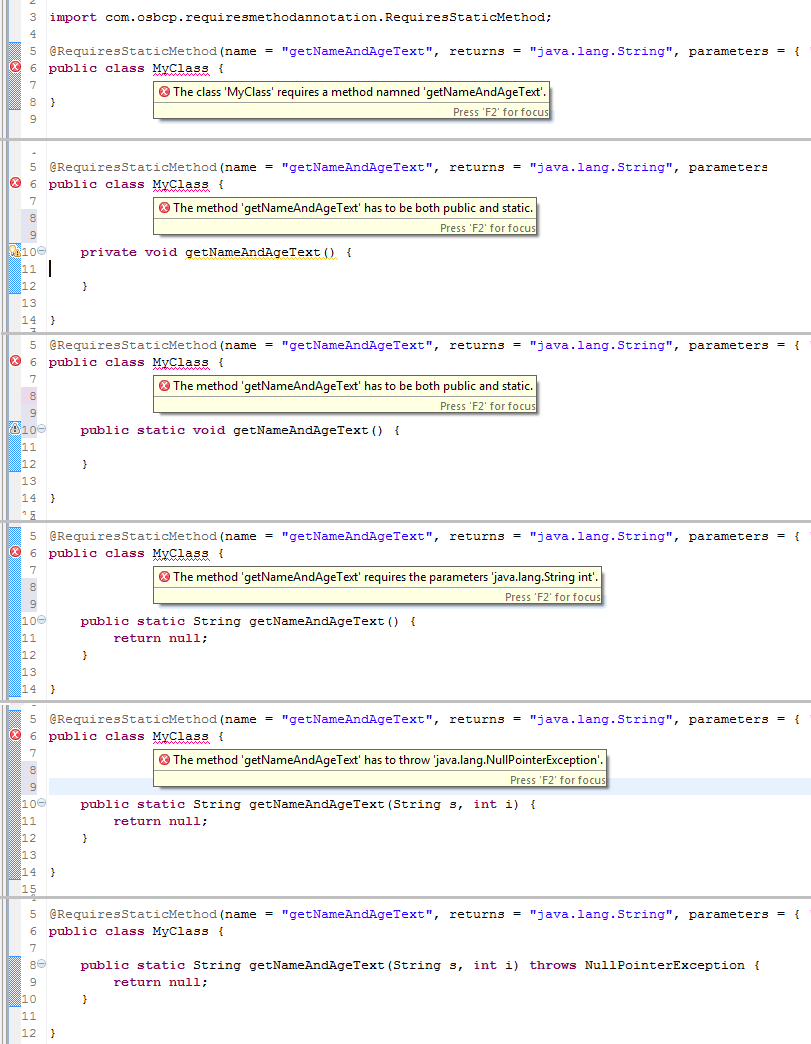
This annotation example might be considered useless, however the blog entry is about how it was done for other developers interested in the APT framework. In reality, I can imagine that this logic is included into a proper annotation such as for events.
First step - creating a new Eclipse project
Since, in order achieve this you actually have to add a JAR-library to your Java-project (I will write more about this later down):
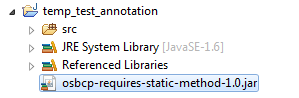
It is much smoother to create a new Eclipse project just for this annotation.
So, the first step was to create a new Java Eclipse project which has three class files:
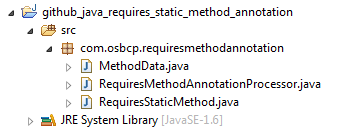
RequiresStaticMethod.java - The annotation
RequiresStaticMethod is a simple annotation:
@Retention(RetentionPolicy.SOURCE)
@Target(ElementType.TYPE)
public @interface RequiresStaticMethod {

    String name();

    String returns();

    String[] parameters();

    String[] exceptions();

}
The
@Retention(RetentionPolicy.SOURCE) defines the annotation is only alive during compile time and the @Target(ElementType.TYPE) specifies that this annotation is only allowed on classes, interfaces or enum.
The full source code can be viewed here:
RequiresMethodAnnotationProcessor.java - The abstract annotation processor
The
RequiresMethodAnnotationProcessor class is the main logic of the library. It extends the AbstractProcessor which forces you to implement the public boolean process(final Set annotations, final RoundEnvironment roundEnvironment) method.
To associated the RequiresStaticMethod annotation to the AbstractProcess, we need to declare the
@SupportedAnnotationTypes annotation as seen below:
@SupportedAnnotationTypes("com.osbcp.requiresmethodannotation.RequiresStaticMethod")
public class RequiresMethodAnnotationProcessor extends AbstractProcessor {

    @Override
    public boolean process(final Set annotations, final RoundEnvironment roundEnvironment) {
I won't go through the whole source code of this class in this blog entry. Instead I have written short comments (which are hopefully understandable) in the source which can be viewed here:
MethodData.java - A simple container class
MethodData is just a simple container class the RequiresMethodAnnotationProcessor class uses to store various method information.
The full source code can be viewed here:
Adding the META-INF service information
In order to the compiler to use the AbstractProcessor, the
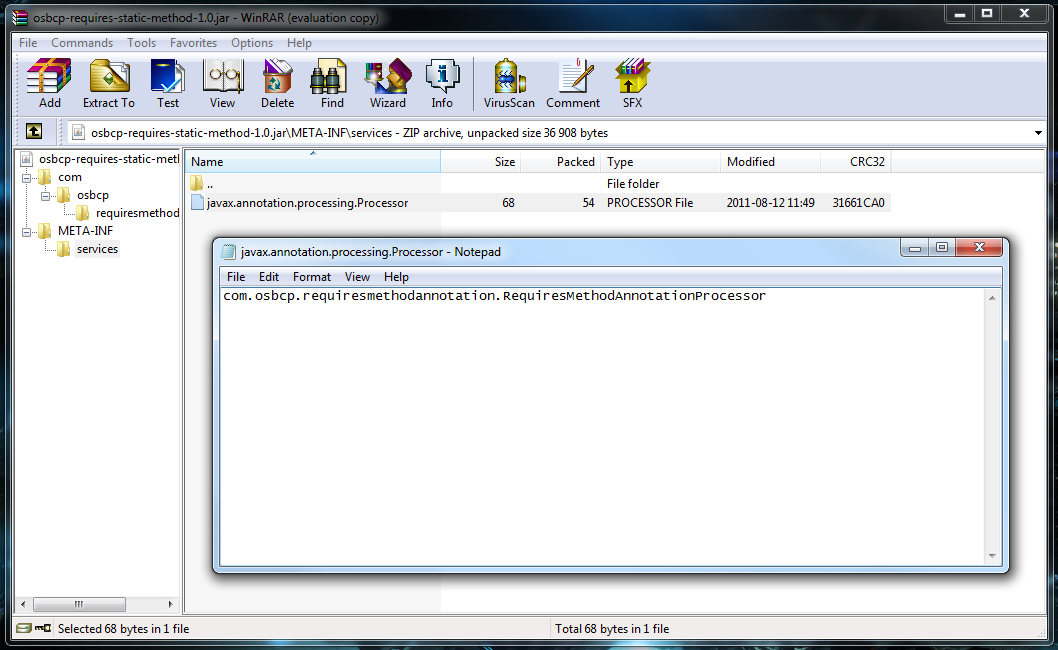
RequiresMethodAnnotationProcessor needs to be registered as a service. This is done by creating a file called "javax.annotation.processing.Processor" located in the /META-INF/services/ folder.
That file contains a single line with the full canonical name to the RequiresMethodAnnotationProcessor:
com.osbcp.requiresmethodannotation.RequiresMethodAnnotationProcessor
To give a better explanation, when exporting the JAR-file, the specific file will look like this:
The full source code can be viewed here:
The proper way to debug is done by doing an eclipse plugin
Even thought I used a StringBuilder for debug purposes, is it fully possible (at least what I have read, but not tested it myself) to debug the
RequiresMethodAnnotationProcessor and JAR-library via Eclipse by converting it to an Eclipse plugin. A short guide on how to do this can be read here.
Debugging annotation processor (eclipse based) - Why?
Configuration Eclipse to recognize the Annotation Processing library
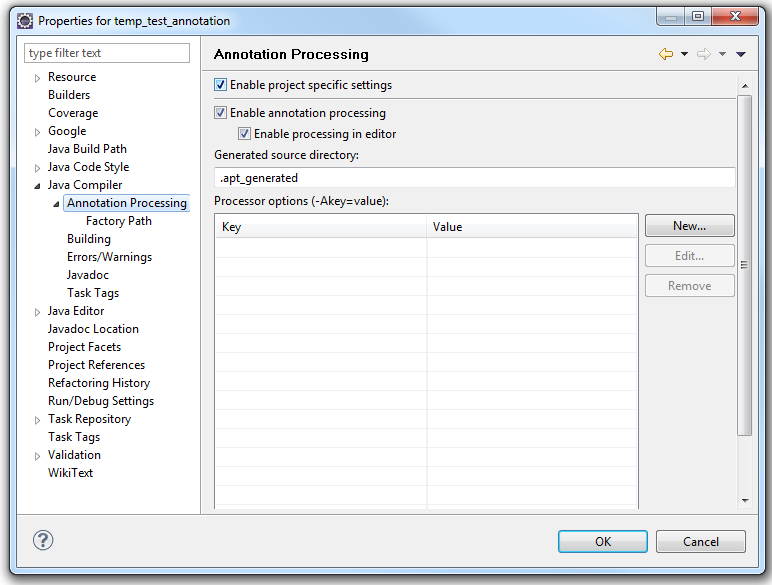
Unfortunately by just adding the JAR-file to the project's build path is not enough to get the annotation processing logic to work. To get things up and running you need to do two things.
First you need to enable the annotation processing support on the specific project (by right clicking on the project and pick "Properties"):
Secondly you need to add the JAR-file to the Factory Path.
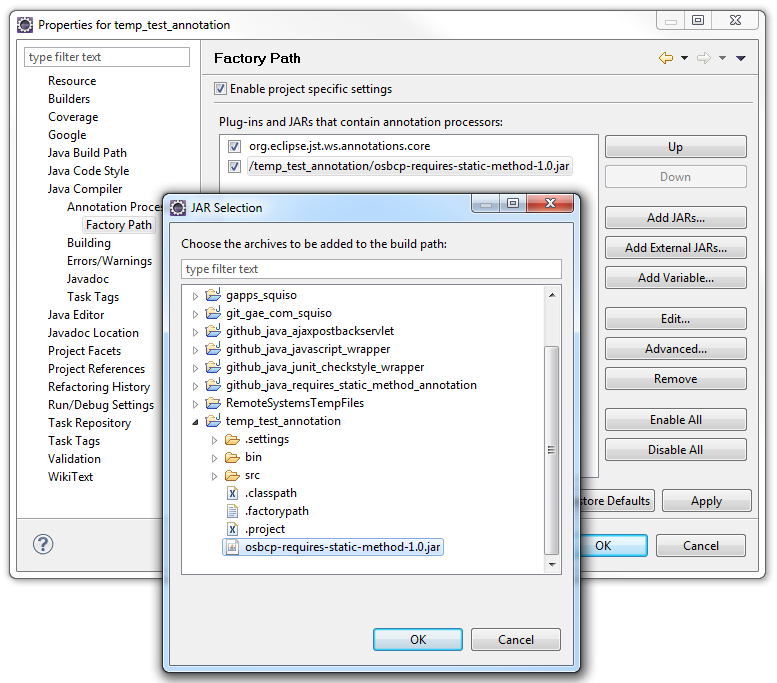
When this is done, Eclipse will ask you if it can rebuild the entire project, which should get the annotation logic working. More information about this can be read here:
Getting the full source code
The full source code is both available for view and download here:
And give it a try yourself
You may download the JAR-library and import it in Eclipse yourself:
