
Houd er rekening mee dat deze blogpost in juli 2011 is gepubliceerd. Afhankelijk van wanneer u hem leest, kunnen bepaalde delen dus verouderd zijn. Helaas kan ik deze berichten niet altijd volledig up-to-date houden om ervoor te zorgen dat de informatie accuraat blijft.
Storing an image (or any other content type) in JavaScript (or CSS) is done by specifying a special URI scheme for data. Basically what you do is to create a normal JavaScript String object using a specific format, where you specify the content type, character encoding and the data encoded as a base64 string.
A simple example would be:

Resulting in one HTML page with an embedded image.

Viewing the page with Firefox with the YSlow plugin.
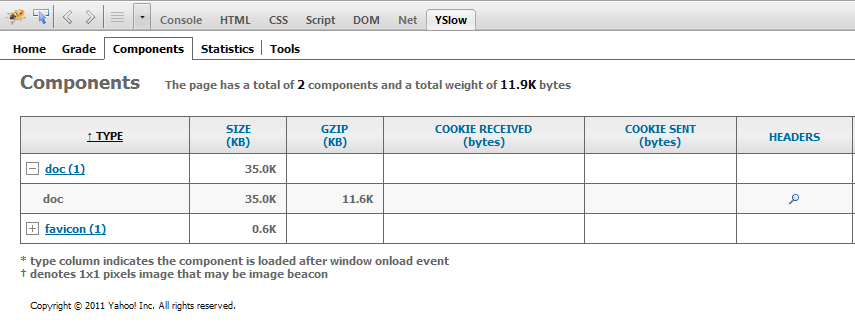
Increased file size
Obviously converting raw binary data to a base64 format will increase the data size. To compare the sizes I extracted the JavaScript image
variable to an own JavaScript file on the disk, and then compared the original image file against the newly created JavaScript file.
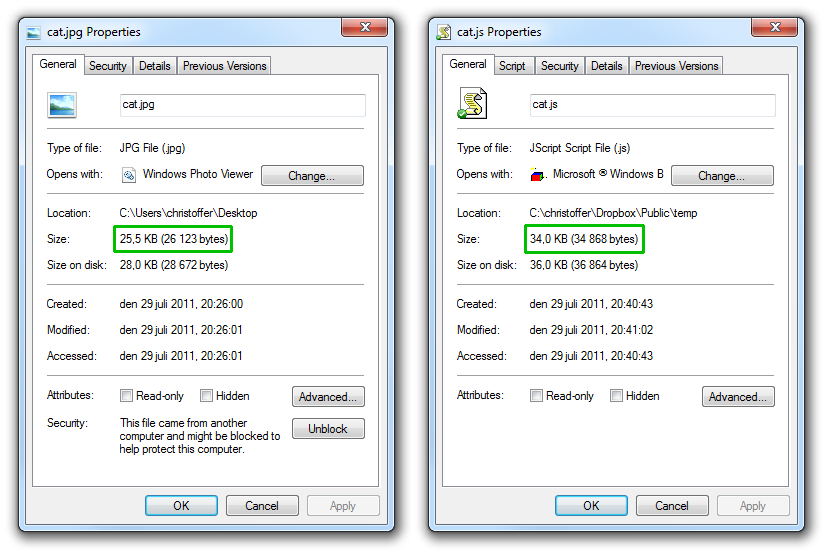
The original image is around 25.5 KB large while the base64 version is around 34 KB. The data size was increased with around 33.3%.
Encoding other various files I got the following results:
- 7.45 KB to 10.2 KB - 36.9%
- 5.19 KB to 7.10 KB - 36.8%
- 93.2 KB to 127.0 KB - 36.2%
- 257.0 KB to 350.0 KB - 36.1%
- 48.0 KB to 64.3 KB - 33.9%
- 457.0 KB to 642.0 KB - 40.4%
- 601.0 KB to 821.0 KB - 36.6%
Based on these figures a typical base64 encoding increases the data size with around one third (36%) of the file size. However, this size
can of course later be decreased by using GZIP compression.However, this size can of course later be decreased by using GZIP compression.
Browser compatibility
According to several sources, the Data URI scheme are only supported in modern browsers, really starting from Internet Explorer 8 and forward (Internet Explorer 7 does support it, but with some heavy constraints).
As an experiment uploaded my test page and used Browsershot to give me a screen shot of the page from 65 different browsers on various operating systems.
65 different combinations of browsers and operating systems.
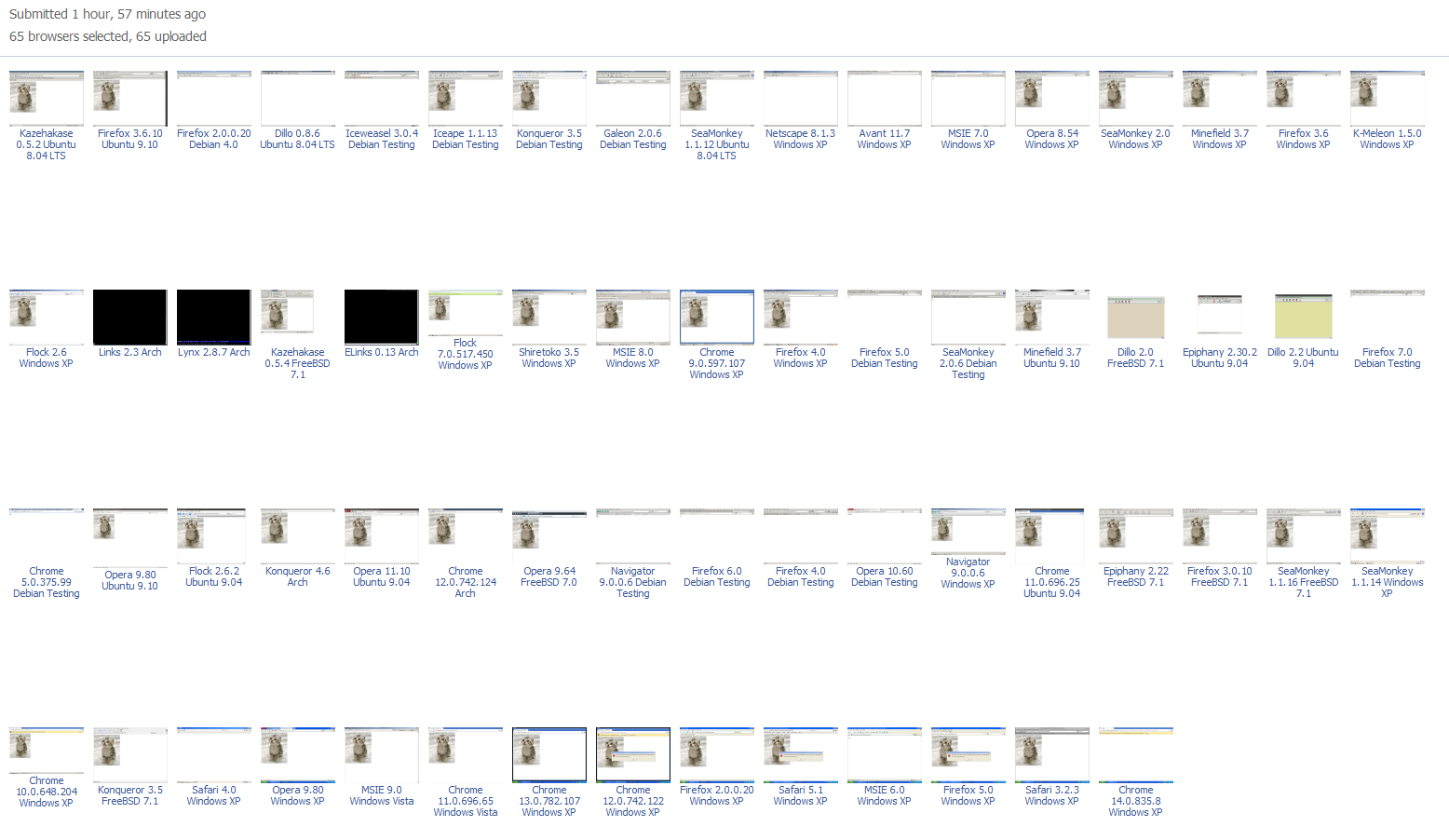
As displayed above, it works on Firefox 3.6+, Chrome 9.0+, Safari 3.2.3+, Opera 9.54+ and Internet Explorer 8+. But not in Internet Explorer 6 or 7.
However, there is
an alternative solution available for those browsers as well.
Is Data URI scheme a good or a bad idea?
I won't cover this question in this blog post. However if you are interested here are some links that highlights the advantages and the disadvantages:
